

Play on your phone
Gaming Club Casino Mobile App
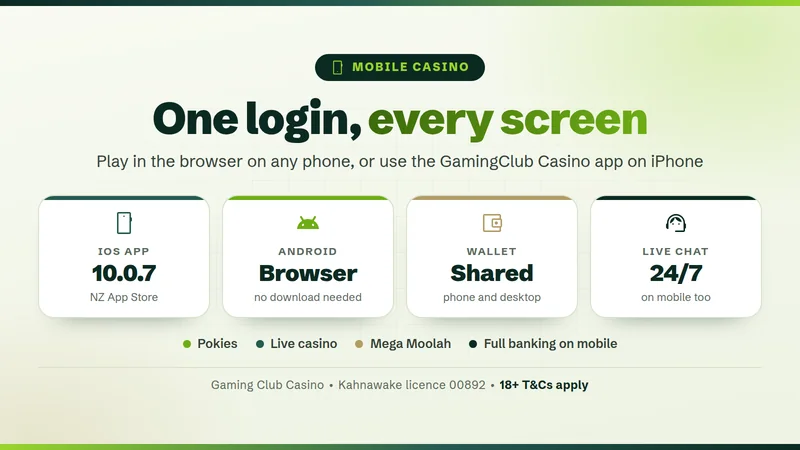
Play Gaming Club in any phone browser or on the iOS app - one login, one wallet, NZ$ banking.
- 10.0.7Current iOS app versioniOS app
- iOS 10+Needed for the appMin iOS
- 1Login for every deviceLogin
- 24/7Live chat on mobileSupport
Gaming Club Casino app status right now
You can play Gaming Club on your phone today, two ways. Open the site in Safari or Chrome and log in to reach the same lobby as on a laptop, or use the Gaming Club Casino app for iPhone, still listed on the New Zealand App Store.
We would start with the browser: nothing to install, and as the same site as desktop it shows the current lobby and promotions. The iOS app is a handy extra if you like a one-tap icon, and our Gaming Club Casino review covers the games and offers inside. On Android, play in Chrome; Gaming Club's own mobile page says an Android app is offered too.
- Browser casino (iOS, Android)
- Works
- iOS app on NZ App Store
- Listed
- App version
- 10.0.7
- Last app update
- 18 Jun 2020
- Android
- Browser or site app
- Login and wallet
- Shared with desktop
What we checked: on 30 September 2026 we opened the GamingClub Casino listing on the NZ App Store and noted version, update date, size, age rating and required iOS; the day before, we read Gaming Club's official mobile page. Read the panel as the state of play on that date. If anything looks different, live chat can confirm it.
Gaming Club app not working? 60-second fixes
Most hiccups come down to a weak signal, an old session or an outdated browser. Pick what you see and follow the steps; they work in the app and the browser alike.
Games won't load
- Switch between Wi-Fi and mobile data.
- Log out, close the app or tab fully, reopen and log in.
- Try another pokie; if only one fails, that game may be briefly offline.
- Update the app or browser and restart the phone.
- Still stuck? Give live chat the game name and time.
Can't log in
- Check for autocorrect, a stray space or a stray capital.
- Use "Forgot Username" or "Forgotten Password?" ; instructions arrive by email.
- Stop after a couple of tries: several wrong logins lock the account.
- If it is locked, live chat can reopen it for you.
App won't install
- Check the iPhone runs iOS 10 or later.
- Free up at least 36 MB of storage.
- Search "GamingClub Casino" as one word on the NZ App Store.
- Screen Time age limits can hide 17+ apps like this one.
- Or skip it: the browser casino needs no install.
Deposit not showing
- Deposits usually land almost instantly; log out and back in.
- Confirm in your bank or e-wallet app that the payment left.
- Card declined? Try a debit card or an e-wallet instead.
- Don't deposit again; send live chat the amount, method and time.
Screen frozen mid-spin
- Stop tapping Spin and wait 10-20 seconds.
- Reopen the game; the round was settled on the server.
- Check your balance and game history.
- Numbers wrong? Send live chat the game and time.
Logged out a lot
- Use one device at a time; a second login may end the first.
- Allow cookies and avoid private tabs.
- Keep the app or browser up to date.
- A logout after a quiet spell is usually a security timeout.
- Every few minutes? Tell live chat your phone and browser.
If nothing helps, start a live chat from the Help Centre - it runs 24/7. Mention your phone and the game.
Gaming Club app vs browser vs desktop
In short, the Gaming Club mobile casino in your browser is the same lobby as desktop, so it is our day-to-day pick. The Gaming Club Casino app suits anyone who wants a dedicated icon on the iPhone.
| Feature | iOS app | Mobile browser | Desktop |
|---|---|---|---|
| Download | About 36 MB | None | None |
| Updates | June 2020 | Live site | Live site |
| Games lobby | App lobby | Desktop lobby | Full lobby |
| Banking | Same wallet | Full cashier | Full cashier |
| Live chat | Via browser | 24/7 | 24/7 |
| Bonuses, loyalty | Same account | Same account | Same account |
Swipe to see the whole table
The app column follows the App Store listing. Your login, balance, bonus progress and loyalty points follow you whichever way you play, and the Help Centre with its 24/7 chat is always one tap away in a browser.
Error messages and what they mean
Gaming Club does not publish numbered error codes, and wording varies by game. Four common messages in plain language:
Connection lost
Your phone lost touch with the game server, often while hopping from Wi-Fi to mobile data. Reload the game once the signal is back; any round you started is already settled.
Session expired
You were logged out after a quiet spell or a login on another device. Log in again and your balance is exactly where you left it.
Payment declined
The bank said no, not the casino. Some NZ banks block card payments to gambling sites or charge them as a cash advance. Try a debit card, Apple Pay, Google Pay, Skrill or Neteller.
Game temporarily unavailable
That one title is paused, usually on the game's side. Pick another pokie and check back later; the rest of the lobby carries on as normal.
What happens to your bet if the app drops
- Bet placedYour stake leaves the balance
- Server draws resultThe RNG picks the outcome
- Round settlesThe win or loss is recorded
- Balance updatesOn the server, not your phone
- You reconnectReopen the game or app
- Check game historyThe round is listed there
Your phone only shows the spin. The result of a pokie or table round is decided on the game server by the random number generator the moment you press Spin or Deal, not when the reels stop on your screen. If the signal drops, the round still completes and any win lands in your balance. Our guide to how online casinos work in New Zealand explains RNGs in more detail.
Live dealer tables keep running without you, so a bet placed before the drop follows that table's rules, shown in its help screen. If any result looks wrong, send live chat the time and the game name so the team can look up the round.
How to install Gaming Club on iPhone and Android
There is no Gaming Club app download NZ players need to hunt for: iPhone owners can use the App Store, and on any phone a browser plus a home-screen icon does the job.
- 1iPhone: App Store
Search "GamingClub Casino" as one word and install the Gaming Club iPhone app. It needs iOS 10 or later and about 36 MB.
- 2Android and any phone
Open the casino in Chrome on Android, or Safari on an iPhone or iPad.
- 3Add to home screen
In Safari tap Share, then Add to Home Screen. In Chrome open the three-dot menu, then Add to Home screen.
- 4Log in as usual
Use your desktop details. Balance and points are already there.
Tip: keep your phone and browser updated, as old versions often stop games loading. For live dealer games use Wi-Fi: video needs far more data than a pokie.
New here? Sign up on your phone, then open Gaming Club and deposit NZ$10 or more to claim the first half of the NZ$350 double deposit bonus. The Gaming Club Casino app and the browser share one account.
Our Gaming Club mobile check log
Dated facts only: App Store release dates and our own checks.
- 22 Sep 2014
App first released
The GamingClub Casino app appeared on the App Store, giving iPhone players their own way in.
- 18 Jun 2020
Version 10.0.7 released
The current build of the Gaming Club Casino app and still the latest version on the New Zealand store.
- 29 Sep 2026
Official mobile page reviewed
We read Gaming Club's mobile casino page: browser play with no download, with apps mentioned for iOS and Android.
- 30 Sep 2026
NZ App Store listing checked
Still listed: version 10.0.7, iOS 10 or later, about 36 MB, rated 17+.
What players say about Gaming Club mobile play
Player comments about phone play fall into three themes, summarised in our words.
Pokies run smoothly in the browser
The point that comes up most: pokies and progressives such as Mega Moolah play well in Safari or Chrome without installing anything.
Mentioned oftenSwitching devices is easy
Players like starting on the phone and finishing on a computer with the same login. Balance, bonus progress and loyalty points carry over.
Mentioned oftenHoping for more app updates
Some iPhone users would like the iOS app refreshed more often, as its last update dates from 2020. Most simply use the browser instead.
Mentioned now and thenWhen mobile play isn't the best fit
Phones suit most people, but not every situation.
Very old phones
The iOS app needs iOS 10 or later. On older handsets, or ones that no longer get browser updates, games may load slowly or not at all.
Patchy data and live dealers
Live dealer tables stream video the whole time. On a weak signal the picture stutters and you can miss a betting window. Save live games for good Wi-Fi and keep to pokies on the bus.
Anyone who wants a hard stop
A casino in your pocket is always one tap away. Set daily, weekly or monthly deposit limits before you play, or ask live chat about self-exclusion. Free, confidential support is at the Gambling Helpline.
Gaming Club mobile questions
QIs there a Gaming Club app for iPhone?
Yes. The GamingClub Casino app is listed on the New Zealand App Store: version 10.0.7, last updated on 18 June 2020, iOS 10 or later, about 36 MB, rated 17+. Prefer not to install anything? Safari gives you the same account and the current lobby.
QIs there a Gaming Club Android app?
Gaming Club's official mobile page says an app is offered for Android as well as iOS. The simplest route on an Android phone is the browser: open the casino in Chrome, log in and add it to your home screen. You get the lobby, cashier and live chat without downloading anything.
QDo I need to download anything?
No. Gaming Club runs in the browser on iPhones, iPads, Android phones and tablets, with the same username, password and balance on every device. A home-screen shortcut from Safari or Chrome gives you a one-tap icon without using any storage at all.
QIs the Gaming Club app safe?
Gaming Club is run by Baytree Interactive Ltd under Kahnawake Gaming Commission licence 00892, and Baytree (Alderney) Limited holds Alderney eGaming licence 155 C1. Payments and data are protected by SSL encryption, and the games carry the eCOGRA seal. Install the app only from the official App Store listing; our New Zealand legality guide covers the local rules.
QCan I claim the NZ$350 bonus on mobile?
Yes. The Double Deposit Bonus works the same on a phone: 100% up to NZ$200 on your first deposit and 100% up to NZ$150 on your second, plus 10 daily spins on the Mega Millionaire Wheel. The minimum deposit is NZ$10, wagering is 35x and you have 7 days to claim. Pokies count 100% towards wagering.
QWhy is the app not working?
Usually it is the signal, an old session or an out-of-date app or browser. Switch networks, log out, close everything and log in again. The 60-second fixes above cover six common problems, and live chat is open 24/7 if you are still stuck.
QCan I withdraw on my phone?
Yes, the full cashier works on mobile. Withdrawals sit in a 24-hour pending period and are not processed at weekends; after that, Skrill, Neteller and ecoPayz take 24-48 hours and Visa 2-6 business days. Mastercard and Paysafecard are deposit-only. You may be asked for ID and proof of address before the first payout.

Your phone is already the casino
Open Gaming Club in Safari or Chrome, log in and the whole lobby is there, NZ$350 welcome offer included. Questions first? Live chat is open 24/7.